Editor brushes
Documentation version: 0.6.1
There are two ways to sculpt and paint a baked zone in the editor. Both use the same brush settings.
- From the Terrain: Terrain component > Paint Terrain > DigHoleIt: Dig Voxels (Dig, Add, Smooth, Reset) or DigHoleIt: Paint Voxels. The brush shape comes from Unity's terrain brush list. The brush works on every baked zone that uses the terrain.
- From the zone: select the Dig Zone and click Sculpt Tool. An overlay in the Scene view has the modes (Dig, Add, Paint, Smooth, Reset), the paint layer, and the shape (Sphere, Soft, Flat or a custom mask texture).
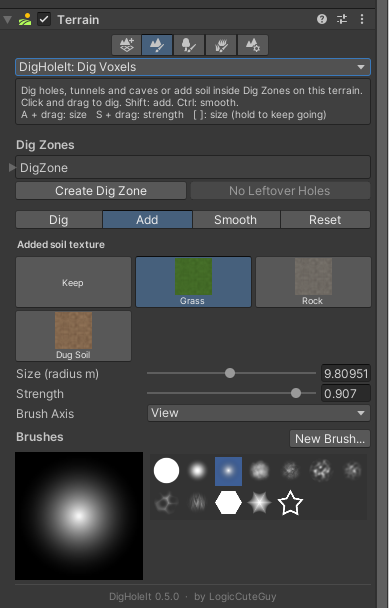
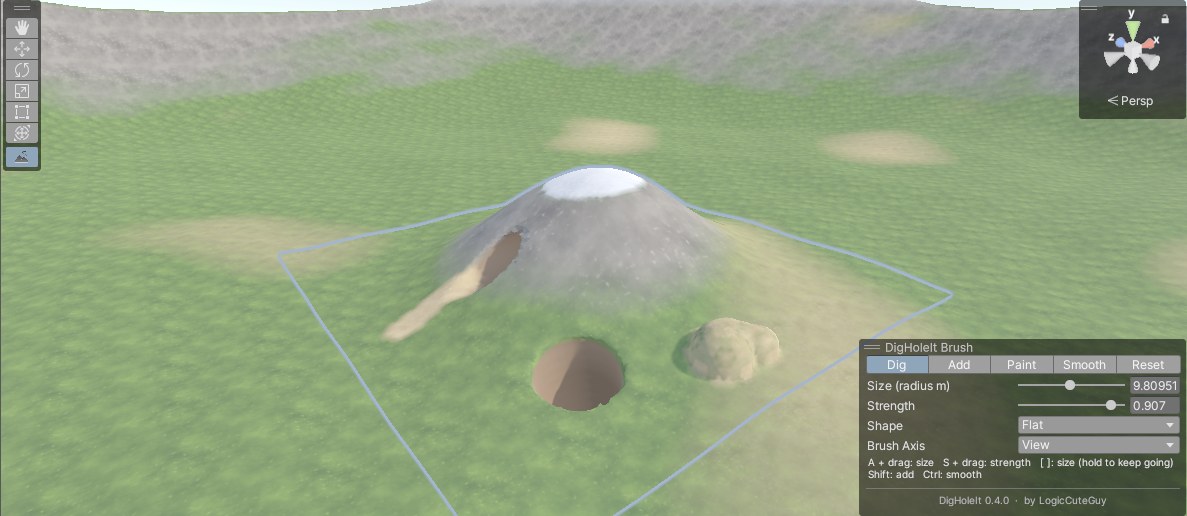
Modes
| Mode | What it does |
|---|---|
| Dig | Pushes the surface in, like the terrain Lower brush. Aim at a wall to dig a tunnel. |
| Add | Pulls the surface out, like the terrain Raise brush. |
| Paint | Sets the layer of the voxels inside the brush. Lower strength thins it out so layers blend. |
| Smooth | Evens out the surface under the brush. |
| Reset | Brushes voxels back to the terrain they were baked from and wipes their paint. Lower strength does it gradually. |
Dig, Add, Smooth and Reset keep working while the mouse is held. At full strength the surface moves about strength × (1 + radius) m/s at the brush centre, fading out toward the edge.
The brush axis is the surface normal by default. World up and view direction are options.
Paint layers
| Layer | Meaning |
|---|---|
| Auto | The terrain's own layers above the original surface, dug soil below it. Painting Auto erases paint. |
| Terrain layers | Every layer of the zone's terrain (up to 16), shown with its texture. |
| Dug Soil | The zone's underground material. |
Controls
| Input | Action |
|---|---|
| Hold or drag | Apply the brush |
| Shift / Ctrl (held) | Add / Smooth |
| A + drag left or right | Brush size |
| S + drag left or right | Brush strength |
[ ] | Brush size: a tap changes it by 10%, holding the key keeps shrinking or growing it |
Undo and the runtime
Every stroke is one undo step. Undo and redo remesh only the chunks the stroke changed, and zones whose terrain the undo didn't touch aren't re-synced, so they stay quick on large zones. In a VRChat project, the stroke is copied into the zone's DigZoneRuntime when you release the mouse, so the uploaded world starts with your sculpting.