ClientSim Net
Documentation version: 0.1.2 · Release
ClientSim Net (com.logiccuteguy.clientnetsim) is a multiplayer network simulator for VRChat's ClientSim. Stock ClientSim has no latency, no OnDeserialization, and runs Owner/Others events locally, so most networking bugs stay hidden until you upload. ClientSim Net adds remote puppet players to one Unity editor so you can test them in Play mode.
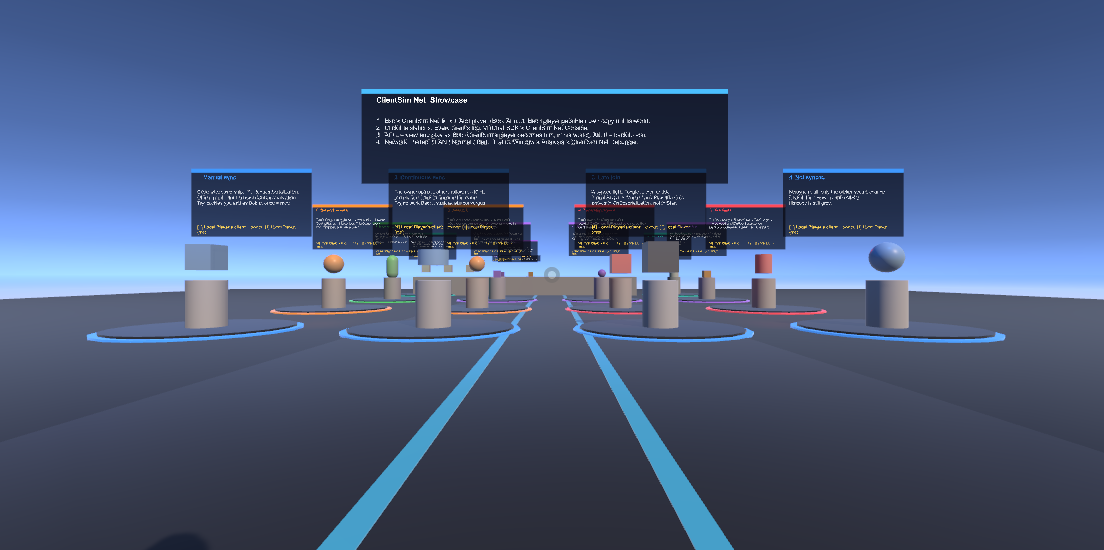
What's new in 0.1.2
Each remote player's world now has its own copy of every player's PlayerObjects. Synced state, network events, interacts and Networking.FindComponentInPlayerObjects run on that player's own client, so you can test a "you → Bob" flow (clicking Bob's card sends him an Owner event, Bob validates and writes) without rewiring anything. A networked object at the scene root, such as a root-level PlayerObject template, is now copied into every world too.
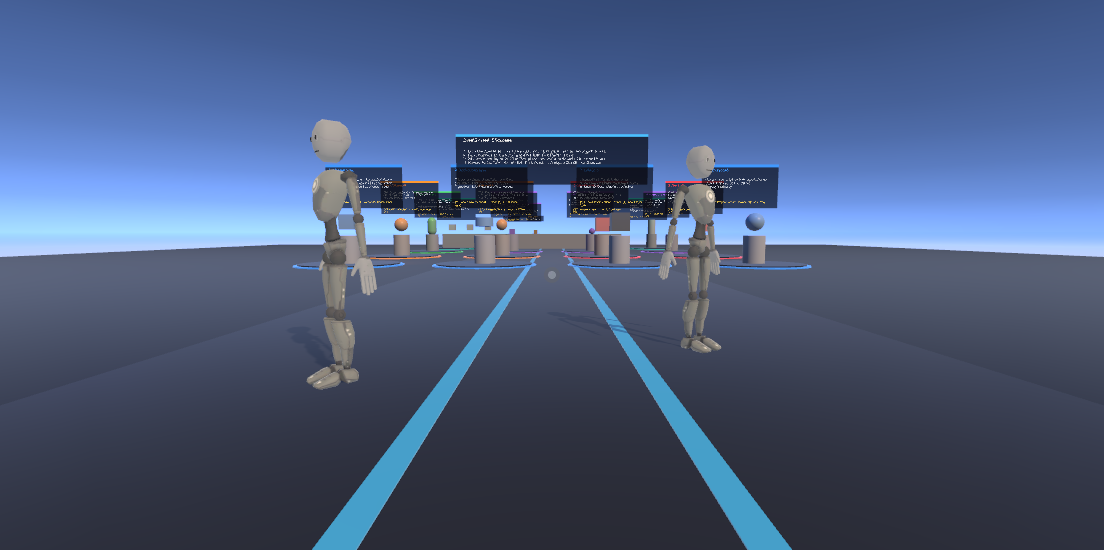
0.1.1: every player's world now also shows the other players (you included) as a named capsule at their own-client position, so you can see who is where when viewing as a puppet. The capsules are a picture only: no collider, no latency.
Features
- Remote puppet players: each gets its own copy of the world, where their Udon runs (
Networking.LocalPlayer,IsOwner,IsMasteranswer for them). - Real network path: synced variables go through
RequestSerializationandOnDeserializationwith latency, jitter and packet loss. Presets: Perfect, LAN, Normal, Bad. - VRChat limits: manual sync (280,496 B) and continuous sync (~200 B, 10 Hz) size limits,
[NetworkCallable]rate limit (5/s), ~11 KB/s bandwidth warning. - Ownership and events:
All/Others/Owner/Selftargets,OnOwnershipRequeston both sides, ownership races, master and player leave, late join. - Pickups and PlayerObjects: pickups with and without
VRCObjectSync, per-playerVRCPlayerObjectcopies. - Tools: in-game menu page, Net Debugger timeline window, per-player console, saved stats, and a scripting API (
NetSimApi) with aclientsim_netunity-mcp tool. - Sample world: a lit plaza with 14 signed stations, one per networking use case.
Requirements
- Unity 2022.3
- VRChat Worlds SDK 3.10.0 or newer (
com.vrchat.worlds)
License
MIT.
Installation
VCC / ALCOM
- Add the LogicCuteGuy VPM repository to VCC/ALCOM, or add
https://vpm.logiccuteguy.com/index.jsonmanually. Refresh the listing if it is already added. - Open Manage Project for your Unity project.
- Find ClientSim Net (
com.logiccuteguy.clientnetsim) and add 0.1.2. - Open the project in Unity and let the package import.
Unity Package Manager / manual
In Window > Package Manager > + > Add package from git URL, enter:
https://github.com/LogicCuteGuy/ClientSimNet.git#0.1.2
Choose one installation method per project to avoid duplicate copies. Do not use GitHub's automatic Source code (zip) archive; use the named com.logiccuteguy.clientnetsim-0.1.2.zip from the release.
Quick start
- In Package Manager > ClientSim Net > Samples, import Test World, then open
NetSimShowcase.unity(a guided tour) orNetSimTest.unity(a plain test scene). - Press Play. ClientSim Net starts with ClientSim.
- Open VRChat SDK > ClientSim Net, pick a network preset (Normal for realism, Perfect for deterministic checks) and Add player.
- Click objects as yourself, then use the 👁 button per player (or Alt+1..9, Alt+0 for you) to view their copy of the world and see what they see.
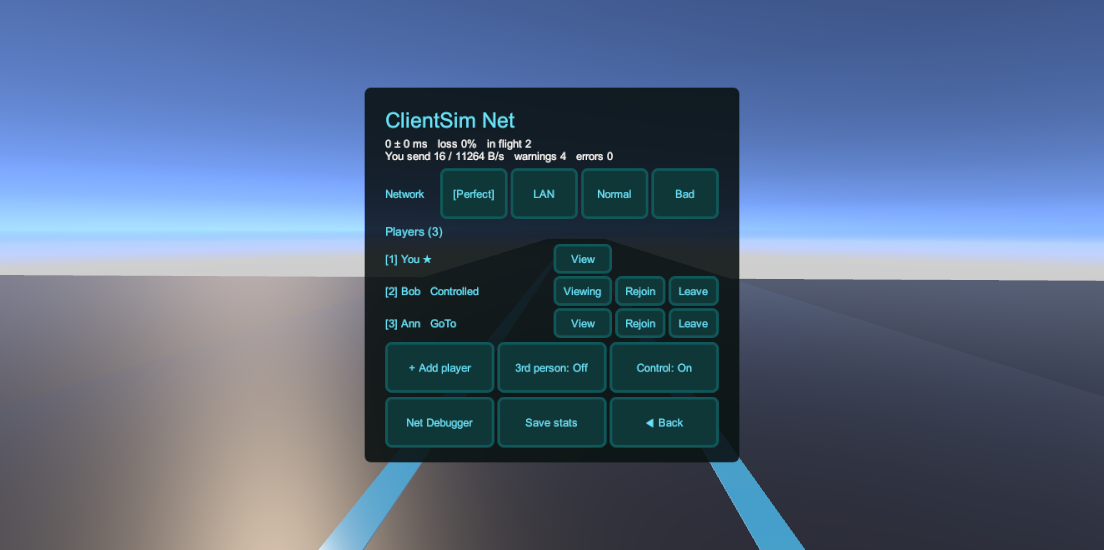
Shortcuts: Alt+[ / Alt+] cycle players, Alt+T toggles third person, Alt+C toggles Control (ClientSim's own player acts as the viewed puppet).
Menus
| Menu | Opens |
|---|---|
| VRChat SDK > ClientSim Net | Main window: enable toggle, presets, players |
| Window > Analysis > ClientSim Net Debugger (also under VRChat SDK) | Profiler-style 30 s timeline of bytes on the wire, with Messages / Players / Objects tabs |
| VRChat SDK > ClientSim Net Console | One console tab per player |
| VRChat SDK > ClientSim Net - Build Test Scene / Build Showcase Scene | Rebuilds the sample scenes |
Console lines from the package start with [ClientSimNet]. Warnings and errors there are real networking bugs in your world, or a limit you hit.
How it differs from VRChat
Remote worlds step their own physics, but raycasts from their Udon query your scene, puppets have no wall collision, and voice and avatars are not simulated. Sync sizes are a per-type estimate, not real wire bytes. Each player's world costs a full scene copy. See Using ClientSim Net for the full list.
To disable the simulator, untick Enable in the window (applies next Play).
Next: Using ClientSim Net.