Physics, material และ interaction
เวอร์ชันเอกสาร: 0.2.0
Component ยังคงชื่อ BlendUdon… ทั้งสองประเภท project: VRChat ใช้ UdonSharp ส่วนไม่มี Worlds SDK ใช้ native MonoBehaviour ต้องแยก physics simulation ออกจาก networking
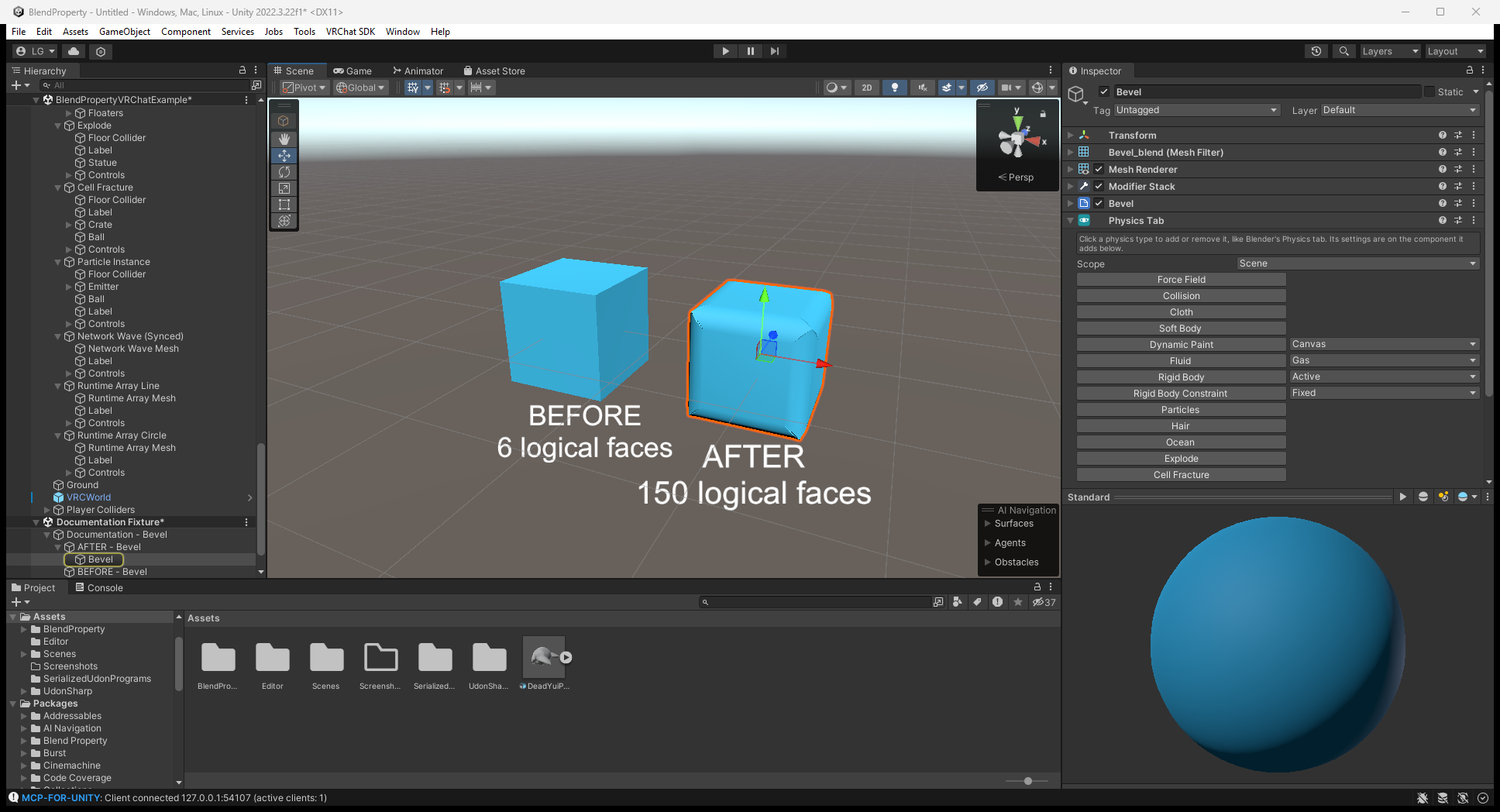
ตั้งค่า Physics Tab
เพิ่ม Blend Property > Physics > Physics Tab เลือกประเภทเพื่อเพิ่ม/ตั้งค่า component และ bake การปิดจะลบ component และคืน mesh/material ที่ถูกแทน
Scope > Scene เชื่อม Physics Tab object ทั้ง scene ส่วน Parent จำกัดใต้ parent เดียวกัน เชื่อม force field, collision, brush และ flow แต่ไม่เติม list ของ component ที่ตั้งเองโดยไม่มี Physics Tab Rigid Body สร้าง Rigidbody/collider ส่วน Constraint สร้าง Unity joint ซึ่งต้องกำหนด Connected Body เอง
Cloth/Soft Body, Dynamic Waves และ Explode ที่เปลี่ยน mesh ใช้ได้หนึ่งชนิดต่อ object ต้อง rebake เมื่อเปลี่ยน mesh หรือค่าที่มีผลต่อ bake และ cloth/hair/particle ที่ emit จาก mesh ต้องอ่าน source mesh ได้
ภาพ Editor แสดงปุ่มประเภท physics และ dropdown Scope ให้เลือกประเภทที่ต้องการบน object ที่เลือก ภาพตั้งค่านี้ยังไม่ใช่ผล simulation ที่กำลังรัน
Component และคำสั่ง bake
| ฟีเจอร์ | Component และการตั้งค่า |
|---|---|
| Cloth / soft body | BlendUdonCloth, Bake Cloth ใช้ vertex color ช่อง red pin; ถ้าไม่มี color ใช้ Goal ส่วน Shape รักษารูป closed body ต้อง rebake หลังแก้ mesh/pin/Goal |
| Particles | BlendUdonParticles, Bake Particles มี shape, rate/burst/Emit(count), force, collision, lifetime และ texture sheet เลือก Billboard / Render As Object; rebake หลังเปลี่ยน capacity/renderer/source |
| Hair | BlendUdonHair, Bake Hair หลังแก้ mesh/Number/Segments/Hair Length ใช้ stiffness, gravity และ field ไม่ใช่ระบบ combing/clumping หรือ hair-to-hair collision |
| Gas/fire/liquid | BlendUdonFluid บน Cube domain กับ source BlendUdonFluidFlow, Bake Fluid Domain ต้อง rebake หลังเปลี่ยน domain type, resolution, solver/capacity หรือสัดส่วนกล่อง เปิด Simulate; liquid อยู่ใน closed domain |
| Paint | BlendUdonDynamicPaint + BlendUdonPaintBrush, Bake Dynamic Paint หลังแก้ mesh/resolution เก็บ paint/wetness บน material texture |
| Waves / รอยกด | BlendUdonDynamicWaves กับ Paint Brush, Bake Dynamic Waves โหมด Waves แผ่คลื่น ส่วน Displace เก็บ/คืนรอยกด ใช้ ResetWaves() เพื่อทำให้เรียบ |
| Field / collision | BlendUdonForceField: Force/Wind/Vortex/Turbulence/Drag/Harmonic ส่วน BlendUdonCollision ตั้ง bounce/friction/kill |
| Ocean / วัตถุลอยน้ำ | Blend Property/Ocean บน subdivided plane + Rigidbody list ใน BlendUdonBuoyancy ข้าม kinematic/remote-owned body และเป็นคนละระบบกับ fluid domain |
| ระเบิดแยก face | BlendUdonExplode, Bake Explode / Unbake ใช้ Explode() / ResetExplode() ขับ shader face |
| Cell fracture | BlendUdonFracture, Bake Fracture / Unbake เป็น Voronoi piece ที่มี convex MeshCollider/Rigidbody แตกด้วย Break() หรือ impact และคืนด้วย ResetFracture() |
Cloth/hair/particle รับ Sphere/Capsule/Box collider โดยมี cap ตามฟีเจอร์ (สูงสุดชนิดละแปด) ส่วน fluid effector เป็น Sphere อย่าสมมติว่า convex MeshCollider ของ fracture/Rigidbody ใช้กับ GPU simulation ได้ด้วย
ตั้งค่า Cloth และดูผล local
เลือก Runtime Example/Cloth/Cloth Mesh ใน VRChat example ดู pinning / Goal, gravity และ collider list ใน Editor แล้วใช้ Bake Cloth หลังแก้ค่าที่มีผลต่อ bake เปิด Simulate เมื่อต้องการรัน local
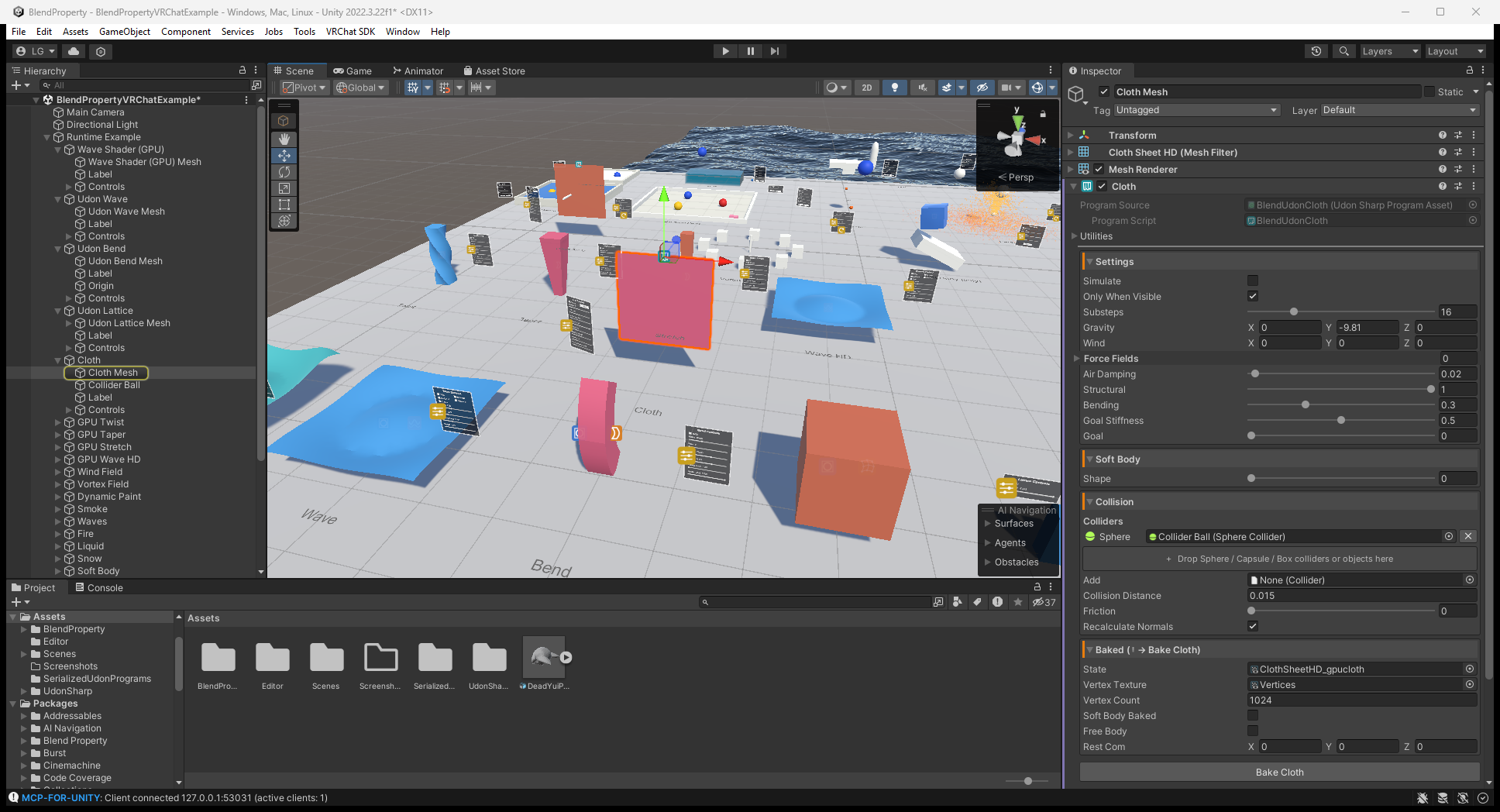
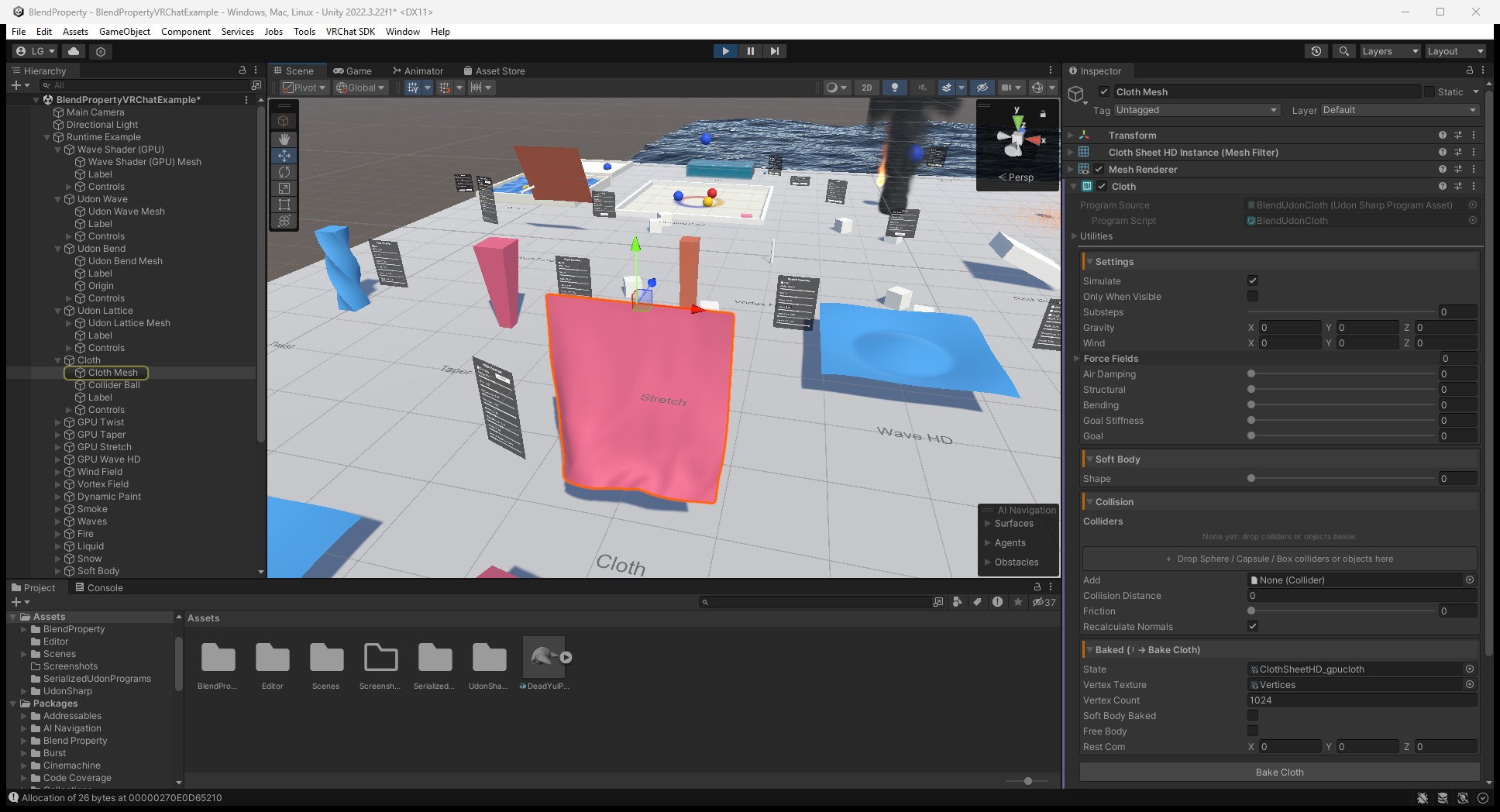
ภาพ ClientSim จากคู่มือต้นทางด้านล่างแสดงผิว cloth ระหว่าง local Play Mode ให้อ่านค่าตั้งจากภาพ Editor ด้านบน ไม่ใช่ค่าใน runtime Inspector ภาพนิ่งไม่ใช่การทดสอบ motion ต่อเนื่อง, multiplayer หรือประสิทธิภาพ Quest
Paint input และ UV
ใช้ UV 0..1 ไม่ซ้อนกัน ถ้า island ซ้อนจะใช้ paint ร่วมกัน Dynamic Waves ต้องมี vertex พอตาม resolution หากละเอียดเกินอาจเกิด spike Canvas รองรับ 8 active brush
Brush/Pen/Airbrush/Stamp มี hardness/flow/opacity/pressure, erase และ tip image ต้องส่ง pressure จาก input เอง ไม่ตรวจ tablet อัตโนมัติ Tip ใช้ local Z ชี้เข้าพื้นผิว เป็น proximity painting จึงอาจถึง backface ที่อยู่ใกล้ ไม่มี paint layer, vector path, undo history หรือ image export
Standalone ที่เปิด Require Use ให้ต่อ input กับ OnPickupUseDown() / OnPickupUseUp() หรือ useHeld ปิด Require Use เพื่อวาดต่อเนื่อง หรือใช้ _StartDrawing() / _StopDrawing() สำหรับ UI ไม่มี pickup system ติดตั้งให้
อะไร sync จริง
| กลไก | พฤติกรรม VRChat |
|---|---|
BlendUdonSyncedPanel | แชร์ control value ให้ late joiner ต่อ control ไป Changed แทน panel Apply |
BlendUdonNetworkEvent | ส่ง action ให้ client ปัจจุบัน ไม่ใช่ persistent event history สำหรับ late joiner |
| Explode เปิด Networked | Source เก็บ explosion timestamp/reset state ให้ late joiner |
| Fracture เปิด Networked | เก็บ broken/reset flag แต่ไม่ replicate transform/velocity ของ piece แต่ละ client คำนวณ physics เอง |
| GPU cloth/particle/hair/fluid/paint/waves | Simulation local ไม่ใช่ snapshot ที่ sync ให้ late joiner |
| Example pickup / Reset Objects | VRC Object Sync แชร์ transform/physics โดย owner ขับ motion; synced target respawn ให้ทุกคน ส่วน target ไม่ sync reset เฉพาะ local |
Standalone Synced Panel/Network Event ทำงาน local BlendUdonPlayerColliders สร้าง player-body collider ใน VRChat ส่วน standalone ใช้ Humanoid Avatars, Viewpoint สำหรับ camera/XR และ RegisterPlayer(Animator) / UnregisterPlayer(Animator) ถ้ามี viewpoint อย่างเดียวจะได้ head collider ไม่ใช่การค้นหาผู้เล่น multiplayer อัตโนมัติ
Material, อุปกรณ์ และการตรวจ
- Baked modifier/live GPU/cloth/waves/fracture ใช้ mesh/material ได้ ส่วน Dynamic Paint composite ตาม Texture Property (เริ่มต้น
_MainTex) - Explode เก็บ custom shader ได้เมื่อมี
BlendExplode.cgincไม่เช่นนั้น bake ใช้ Blend material ที่ copy ลักษณะเดิม Wave/Ocean/Object particle ก็มี integration แบบ include - Hair, billboard particle, Smoke และ Liquid ต้องใช้ shader เฉพาะ Locked/custom shader อาจต้องแก้ โดย shader ที่ให้มาเน้น Built-in ไม่ใช่รับประกัน URP/HDRP ทั่วไป
- GPU ต้องมี render texture/readback ที่รองรับ Mesh readback อาจช้า 1–2 frame ต้องตรวจ hardware เป้าหมายโดยเฉพาะ Quest รอบอัปเดต docs นี้ไม่ได้ทดสอบจริง
- ไม่เคลื่อนไหว: ตรวจ Simulate, bake data, Read/Write, fluid domain ที่มองเห็นและ GPU หาก link ผิดให้ตรวจ Scope/list หาก remote ไม่เหมือนกันให้แยก control sync กับ simulation local
ดูworkflow พร้อมภาพ และคู่มือ component ทั้งหมด
อัปเกรด panel และ example asset เป็น 0.2.0
- Refresh VPM แล้วอัปเดต Blend Property หรือใช้ Git/ZIP ที่ tag นี้ เก็บ Udon script กับ program
.assetคู่กัน เพราะ 0.2.0 แก้ทั้ง panel source และ sync mode ที่ serialize ไว้ BlendUdonPanel/BlendUdonClothPanelใช้ NoVariableSync ไม่ใช่ None แต่ยังเป็น local helper การแก้นี้ไม่ได้ sync ค่า slider ด้วยตัวมันเอง- เพิ่ม
BlendUdonSyncedPanel(Manual) ข้าง local panel บน GameObject เดียวกันแล้วกำหนด Panel reference ต่อ Toggle/Slider On Value Changed ไป Changed แทน Apply ของ local panel และใช้ backing UdonBehaviour SendCustomEvent สำหรับ VRChat UI *_gpudeform.assetของ Bend / Lattice / Stretch / Taper / Twist / Wave / WaveHD ใน example แก้ Bounds/Deform material ให้ชี้BlendDeformStackGPU.shaderแล้ว หาก copy example เก่าไป Assets ต้องเทียบ/อัปเดต asset และ scene ที่ copy ไว้ด้วย เพราะ package update ไม่แทนสำเนาของคุณ สำหรับสำเนาที่ปรับแต่งให้ใช้ bake/build workflow ปัจจุบัน ไม่แก้ shader GUID ด้วยมือ
ถ้า control ยังไม่ sync หรือ demo deform ยังผิดหลังอัปเดต ให้ตรวจ program/texture asset ที่ copy เก่าก่อนเปลี่ยน setting simulation ที่ไม่เกี่ยวข้อง รุ่นนี้ไม่ได้ทำให้ GPU simulation state ทั้งหมดเป็น shared snapshot