Physics・material・interaction
ドキュメントバージョン: 0.2.0
BlendUdon… という名前を両 project で保持します。VRChat は UdonSharp、Worlds SDK がなければ native MonoBehaviour です。Physics simulation と networking は別です。
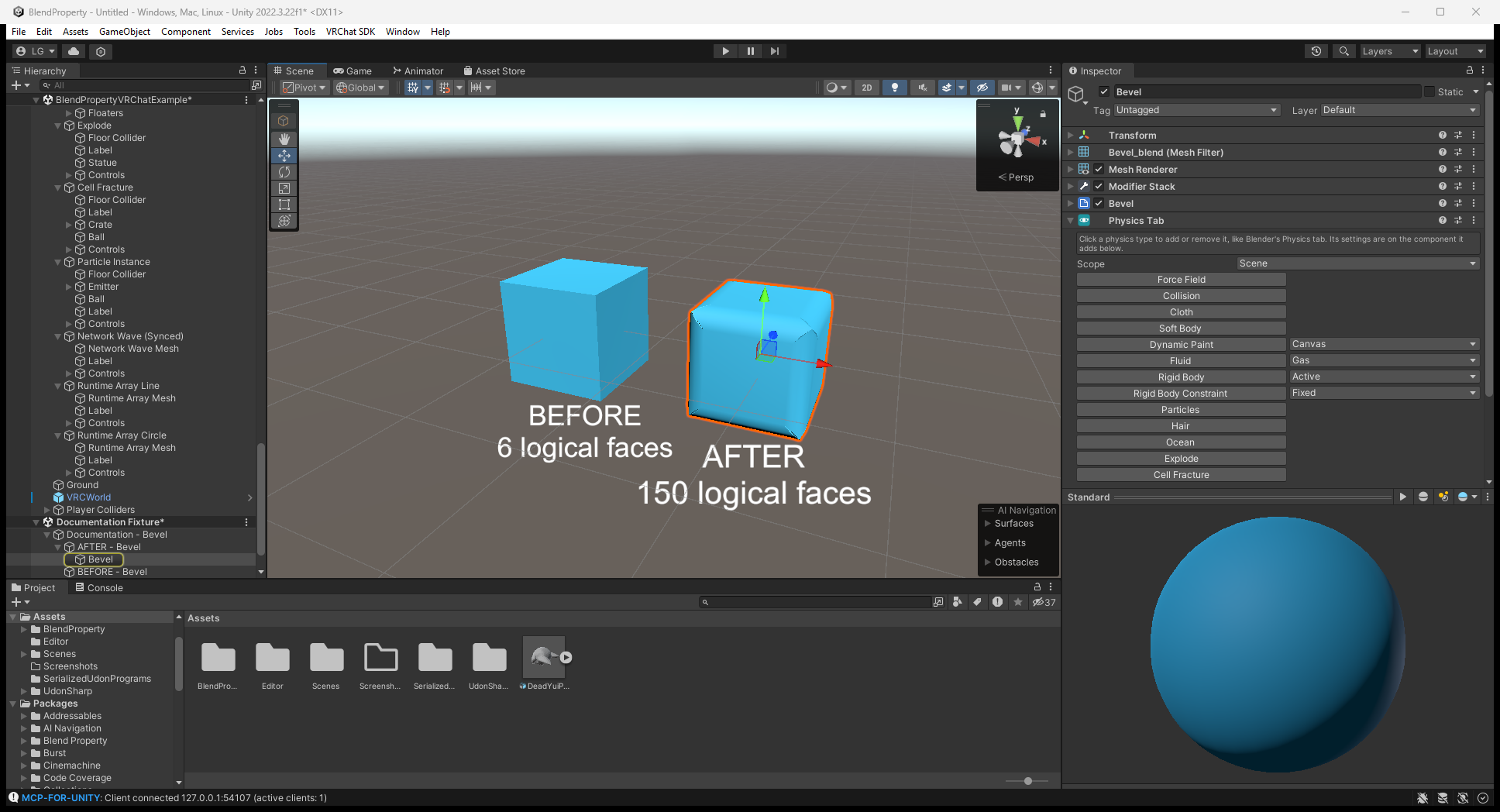
Physics Tab の設定
Blend Property > Physics > Physics Tab を追加します。種類を選ぶと component を構成して Bake し、オフにすると削除して置換した mesh/material を戻します。
Scope > Scene は scene 全体、Parent は同じ親の下に限定して Physics Tab object を接続します。Force field、collision、brush、flow を連携します。Physics Tab なしで手動設定した component の list は自動補完しません。Rigid Body は Rigidbody/collider、Constraint は Unity joint を作り、Connected Body は自分で割り当てます。
Mesh を動かす Cloth/Soft Body、Dynamic Waves、Explode は同一 object で一つだけです。Mesh または Bake 対象設定を変えたら再 Bake します。Cloth/hair/mesh-emission particle は readable source が必要です。
Editor 画像では種類の button と Scope dropdown を確認できます。選択 object に必要な種類を選びます。この設定画面は simulation の実行結果ではありません。
Component と Bake
| 機能 | Component と設定 |
|---|---|
| Cloth / soft body | BlendUdonCloth、Bake Cloth。Vertex color の red が pin、color なしは Goal。Shape は closed body の rest shape を保持。Mesh/pin/Goal 変更後に再 Bake |
| Particles | BlendUdonParticles、Bake Particles。Shape、rate/burst/Emit(count)、force、collision、lifetime、texture sheet。Billboard / Render As Object。Capacity/renderer/source 変更後に再 Bake |
| Hair | BlendUdonHair、Bake Hair。Mesh/Number/Segments/Hair Length 変更後に再 Bake。Stiffness/gravity/field に対応し、combing/clumping/hair 同士の衝突は非対応 |
| Gas/fire/liquid | Cube domain の BlendUdonFluid + source の BlendUdonFluidFlow、Bake Fluid Domain。Domain type、resolution、solver/capacity、箱の比率で再 Bake。Simulate を有効化。Liquid は閉じた domain 内 |
| Paint | BlendUdonDynamicPaint + BlendUdonPaintBrush、Bake Dynamic Paint。Mesh/resolution 変更後に再 Bake。Material texture 上に paint/wetness |
| Wave / dent | BlendUdonDynamicWaves と Paint Brush、Bake Dynamic Waves。Wave の伝播と Displace の凹み保持/回復。ResetWaves() で平坦化 |
| Field / collision | BlendUdonForceField: Force/Wind/Vortex/Turbulence/Drag/Harmonic。BlendUdonCollision は bounce/friction/kill |
| Ocean / 浮力 | Subdivide plane の Blend Property/Ocean + BlendUdonBuoyancy の Rigidbody list。Kinematic/remote-owned body は除外。Fluid domain とは別 |
| Face explosion | BlendUdonExplode、Bake Explode / Unbake。Explode() / ResetExplode() で shader face を制御 |
| Cell fracture | BlendUdonFracture、Bake Fracture / Unbake。Voronoi piece、convex MeshCollider、Rigidbody。Break() / impact、復元は ResetFracture() |
Cloth/hair/particle は Sphere/Capsule/Box collider(機能ごとに各最大八つ)。Fluid effector は Sphere です。Fracture/Rigidbody 用 convex MeshCollider が GPU simulation にも使えるとは限りません。
Cloth の設定と local 結果
VRChat example の Runtime Example/Cloth/Cloth Mesh を選びます。Editor で pinning / Goal、gravity、collider list を確認し、Bake 対象設定を変えたら Bake Cloth を実行します。Local 実行では Simulate を有効にします。
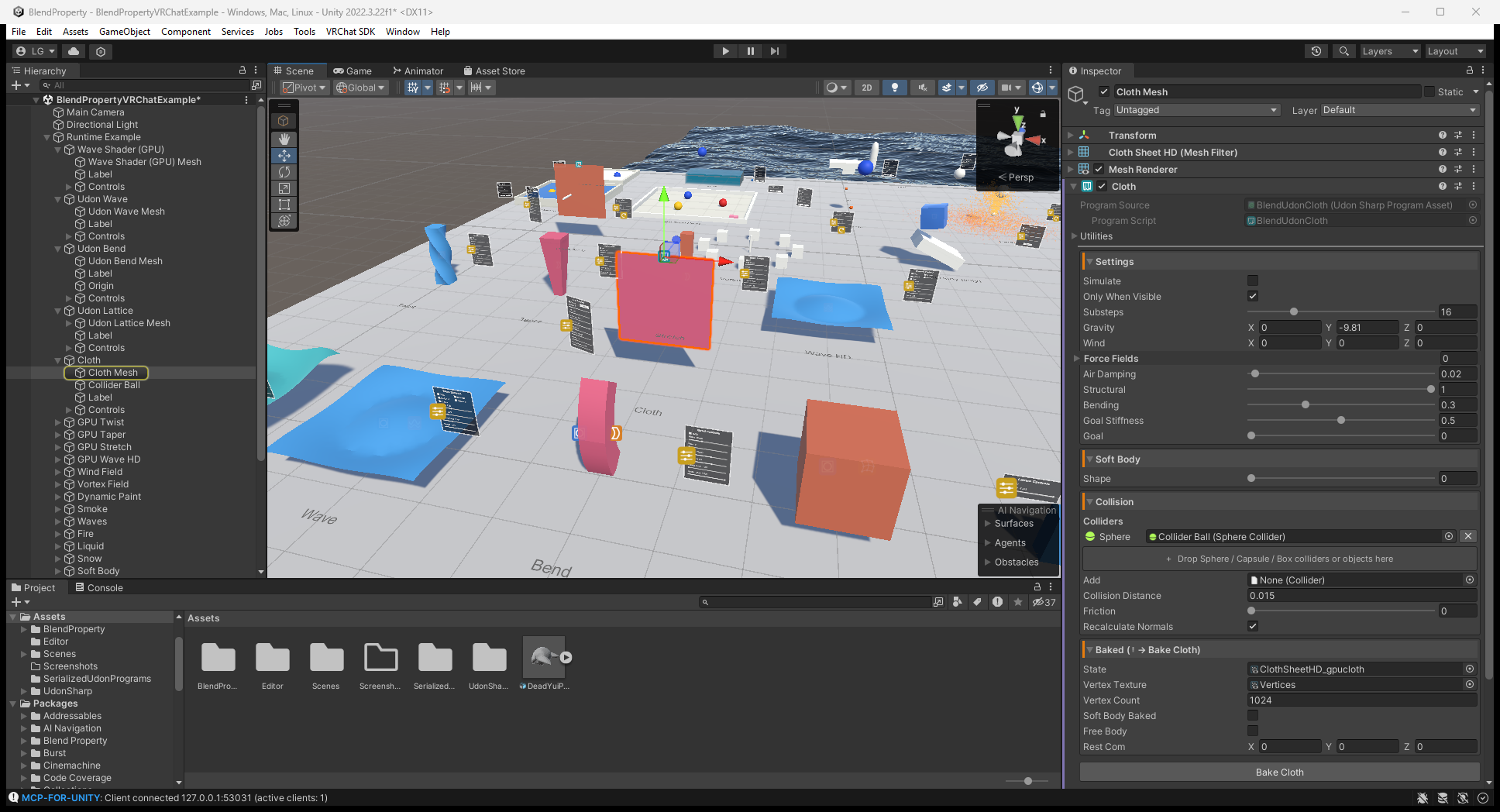
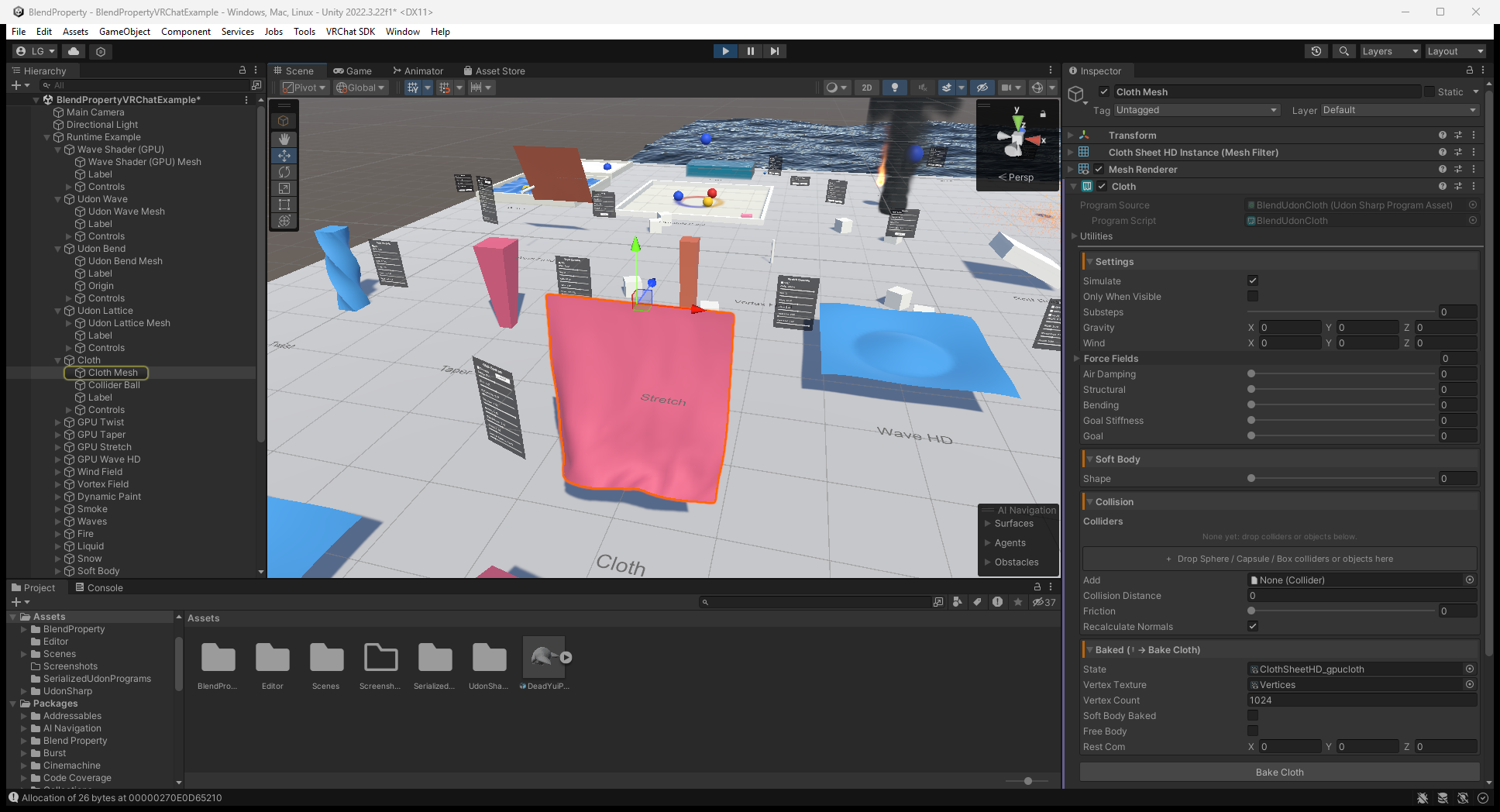
次は元ガイドの local ClientSim Play Mode の cloth 表面です。設定値は runtime Inspector でなく上の Editor 画像を参照してください。静止画は時間経過の動き、multiplayer、Quest 性能の検証ではありません。
Paint input と UV
0..1 の非重複 UV を用意します。重複 island は paint を共有します。Dynamic Waves は resolution に見合う vertex 数が必要で、高すぎると spike になります。Canvas は最大 8 active brush。
Brush/Pen/Airbrush/Stamp、hardness/flow/opacity/pressure、erase、tip image に対応します。Pressure は自分の input で設定し、tablet の自動検出ではありません。Tip の local Z を surface に向けます。近接方式のため近い裏面にも届きます。Paint layer、vector path、Undo history、image export はありません。
Standalone の Require Use は OnPickupUseDown() / OnPickupUseUp() または useHeld に input を接続します。常時描画は Require Use をオフ、UI は _StartDrawing() / _StopDrawing()。Pickup system は導入しません。
同期されるもの
| 仕組み | VRChat の動作 |
|---|---|
BlendUdonSyncedPanel | Late joiner と control value を共有。Control は panel Apply でなく Changed に接続 |
BlendUdonNetworkEvent | 現在の client に action を送る。Late joiner 向け永続 event history ではない |
| Networked Explode | Source は explosion timestamp/reset state を保持 |
| Networked Fracture | Broken/reset flag を保持。Piece transform/velocity は同期せず各 client で物理計算 |
| GPU cloth/particle/hair/fluid/paint/waves | Local simulation。Late-join snapshot の同期ではない |
| Example pickup / Reset Objects | VRC Object Sync が owner 主導で transform/physics を共有。同期 target は全員へ respawn、未同期 target は local reset |
Standalone の Synced Panel/Network Event は local です。BlendUdonPlayerColliders は VRChat body collider を作り、standalone は Humanoid Avatars、camera/XR の Viewpoint、RegisterPlayer(Animator) / UnregisterPlayer(Animator) を使用します。Viewpoint だけなら head collider で、自動 multiplayer discovery ではありません。
Material・機器・確認
- Bake modifier/live GPU/cloth/waves/fracture は mesh/material を利用します。Dynamic Paint は Texture Property(既定
_MainTex)へ合成します。 - Explode で独自 shader を維持するには
BlendExplode.cgincが必要。なければ外観を copy した Blend material を使います。Wave/Ocean/Object particle も include による統合があります。 - Hair、billboard particle、Smoke、Liquid は専用 shader が必要。Locked/custom shader は編集が必要な場合があります。付属は Built-in 向けで、URP/HDRP 全般の互換性を保証しません。
- GPU は対応 render texture/readback が必要。Mesh readback は 1〜2 frame 遅れる場合があります。特に Quest は実機確認が必要で、この docs 更新では試していません。
- 動かない場合: Simulate、Bake data、Read/Write、fluid の可視状態、GPU を確認。接続違いは Scope/list、remote の差は control 同期と local simulation の違いを確認。
画像付き workflowと全 component guideも参照してください。
0.2.0 への panel・example 更新
- VPM を更新して Blend Property を更新するか、tag 固定 Git/ZIP を使います。Udon script と対応 program
.assetを揃えてください。0.2.0 は panel source と保存 sync mode の両方を更新します。 BlendUdonPanel/BlendUdonClothPanelは None でなく NoVariableSync。Local helper のままで、これだけで slider 値を同期するわけではありません。- 同じ GameObject に
BlendUdonSyncedPanel(Manual)を追加し Panel 参照を設定します。Toggle/Slider の On Value Changed は local Apply でなく Changed に接続します。VRChat UI は backing UdonBehaviour の SendCustomEvent を使用します。 - 配布 example の Bend / Lattice / Stretch / Taper / Twist / Wave / WaveHD の
*_gpudeform.assetは Bounds/Deform material がBlendDeformStackGPU.shaderを参照します。旧 example を Assets に copy した場合は、その asset/scene も比較・更新してください。Package 更新は copy を置換しません。独自変更のある copy は GUID を直接書き換えず、現在の Bake/build 手順で再生成します。
更新後も control 同期や demo 変形が失敗する場合は、無関係な simulation 設定を変える前に古い program/texture の copy を確認します。Local GPU state 全体の同期を追加した release ではありません。