Modifier と制限
ドキュメントバージョン: 0.2.0
先に stack を作成してください。Component 順に適用するため、順序で結果が変わります。
| Group | Modifiers |
|---|---|
| Generate | Array, Bevel, Boolean, Decimate, Mirror, Remesh, Screw, Solidify, Subdivision Surface, Triangulate, Weld, Wireframe |
| Deform | Cast, Curve, Displace, Hook, Laplacian Smooth, Lattice, Shrinkwrap, Simple Deform, Smooth, Warp, Wave |
| Edit | UV Project, UV Warp |
| Normals | Smooth by Angle, Weighted Normal, Normal Edit |
Modifier の選択
- Array: Line / Circle / Curve / Transform、copy rotation/scale、randomization、merge。
- Bevel: edge/vertex cut、width mode、angle limit、segment/profile。Vertex mode は平面 cut で Segments を無視します。
- Boolean: Intersect / Union / Difference。Object または collection object 下の mesh が対象です。Cutter の MeshRenderer は自分で隠します。
- Simple Deform: Twist / Bend / Taper / Stretch。Runtime Off の Wave は固定 time で Bake されるため、動きには runtime の方法を使います。
- Remesh: Blocks / Smooth / Sharp / Voxel。Voxel より薄い部分は消えることがあります。
全 option はバージョン固定 READMEを参照してください。
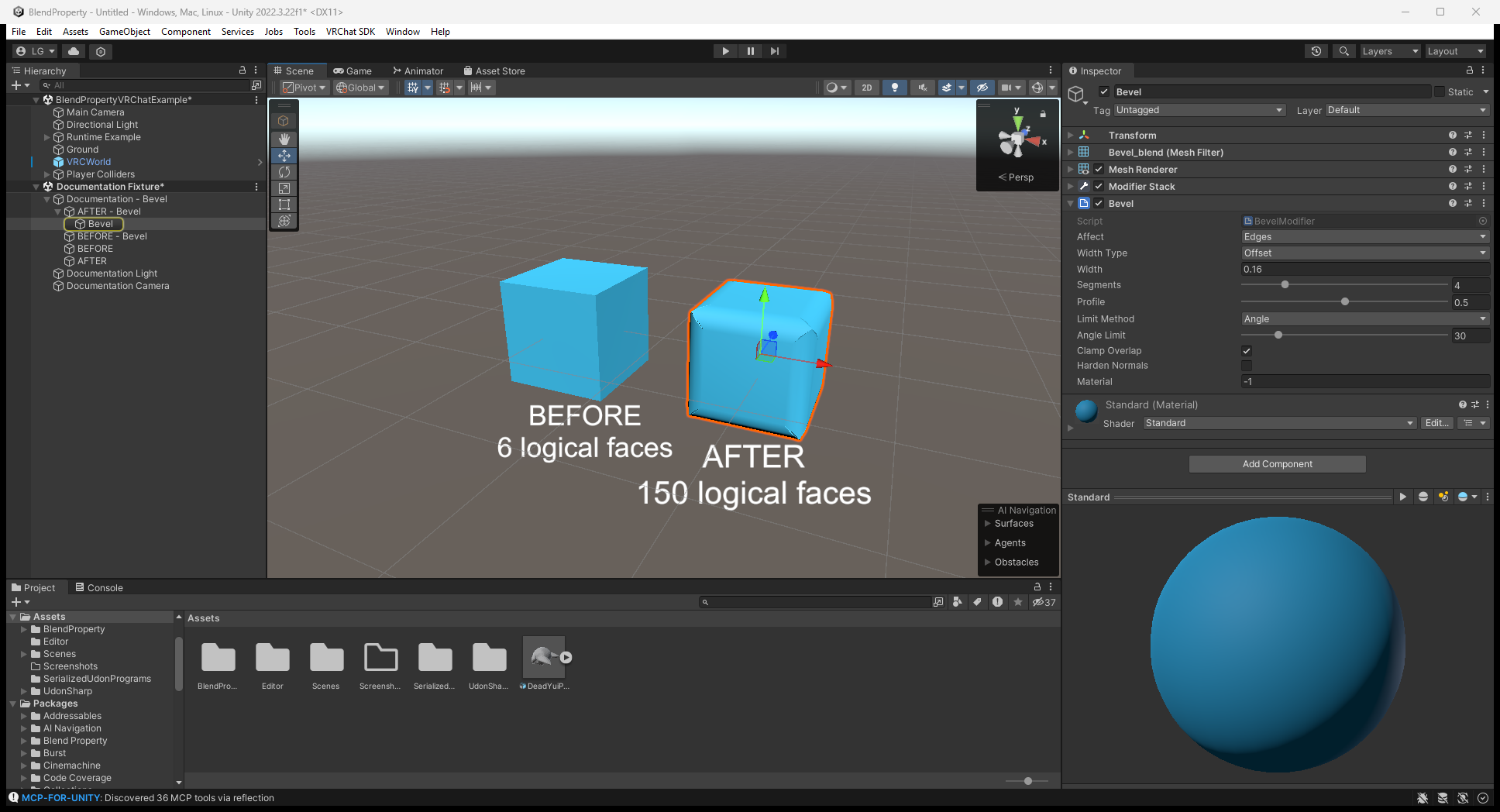
Bevel の適用前後
Editor で Bevel を選択し、左の元 cube と右の丸めた結果を比較します。この例は Affect: Edges / Width Type: Offset / Width: 0.16 / Segments: 4 です。Mesh の大きさに合わせて Width を調整してください。
Lattice の設定
- 空の GameObject に Blend Property > Modifiers > Lattice Object を追加します。
- Mesh を囲む位置・scale にして Resolution U / V / W を設定します(既定 2 × 2 × 2)。
- Mesh に Deform > Lattice を追加し cage を指定します。
- Cage の Scene-view point を drag します。Reset Points で戻します。
補間は trilinear です。Boolean / Hook / Lattice / Curve / Shrinkwrap / Warp と object 指定の Mirror / Array / Screw は別 transform を参照し、移動すると Editor stack を再評価します。Hook は ⋮ の Reset Hook で再 bind します。
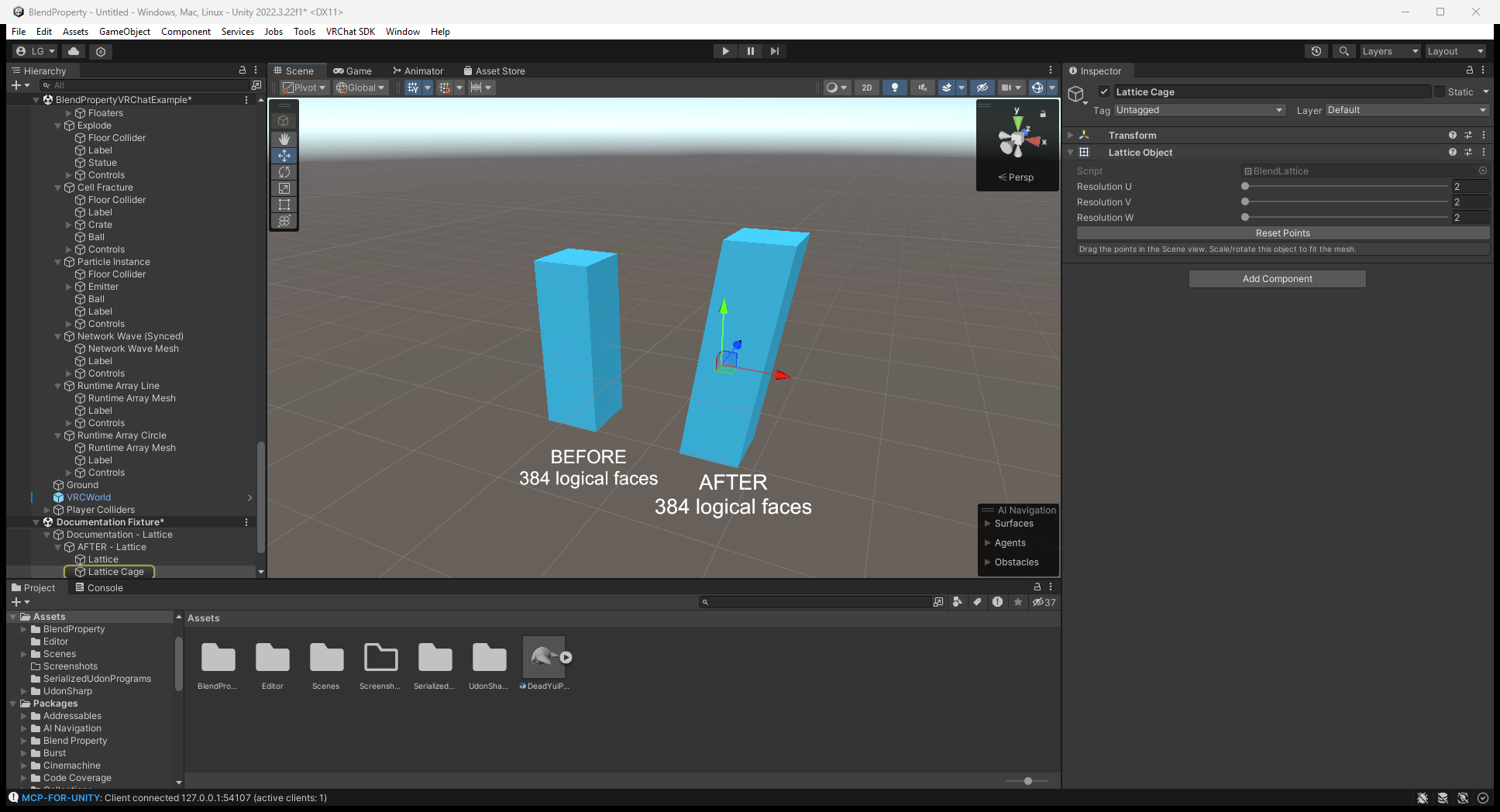
下の Editor 画像は 2 × 2 × 2 の Lattice Object と、傾いた柱の結果です。Point の編集は cage を選択し、Lattice modifier への cage 指定は mesh を選択して行います。
単位と軸
距離は scene のメートルです。Bevel width 0.02 は scale 付き import mesh でも 2 cm です。割合・factor・角度・UV は距離ではありません。非均等 scale の通常距離は三軸の平均、offset は軸ごとの scale を使用します。
Unity は Y-up / Z-forward です。Blender で Z-up が既定の circle Array / Wave / Cylinder Cast / Simple Deform / Screw は Y を使用します。GPU Wave shader は mesh-local 単位です。
制限
- MeshFilter のみ。Skinned mesh、bone、blend shape、vertex group は非対応。
- Crease/bevel weight/face strength、Boolean Exact/Self Intersection、Solidify Complex、Decimate Symmetry、Shrinkwrap Target Normal Project、Remesh Adaptivity は非対応。
- Boolean は BSP CSG。Closed mesh が必要で、数千 face を超えると重くなり、cut edge に T-junction が残る場合があります。
- Bevel corner は triangle fan で、Blender の patch grid ではありません。
- Decimate は greedy QEM。Un-Subdivide は subdivision 由来の all-quad mesh のみ変更します。
- Shrinkwrap は target triangle を調べるため大きな target は遅く、UV Project は orthographic projector 一つです。
- Remesh は distance field でなく inside/outside grid。各軸最大 192 voxel。
- Hook は vertex group でなく半径内の全 vertex が対象です。
Editor は変更部分だけを再構築します。80 ms 超の rebuild は mouse release を待ちます。これは Editor 応答性のルールで、runtime frame budget ではありません。
0.1.1 の Array・Splines・live modifier
Array Curve と Curve は Transform または任意の Unity Splines SplineContainer を追従します。Split Copies は最終 mesh を共有する Array Copy N child を作り、後続 modifier を copy ごとに評価します。Collider Per Copy は Rigidbody の compound shape 用 child BoxCollider です。Collider なしの runtime Array example とは別です。
Wave / Simple Deform / Lattice / Hook / Warp は Runtime > Off / GPU に対応します。GPU 部分を末尾に置きます。最大八 operation、Lattice 一つ、512 point。Wave Along Normals / Warp Preserve Volume は live 非対応です。従来の個別 Wave/SimpleDeform/Lattice component を追加する手順ではなく runtime 変換を使います。
画像付き modifier guideに設定と before/after があります。